UltimMC Launcher
UltimMC Launcher is a Minecraft launcher that helps to run and organise different versions of the game. You can create separate profiles for normal Minecraft, modded Minecraft, or test versions, and each one can have its own saves, mods, and resource packs. It also lets you use modpacks from places like Feed the Beast, Technic, and Modrinth. The launcher is easy to use, helps you install mods and tools like Forge and Fabric quickly, and allows you to switch between Minecraft versions without problems.
What is UltimMC Launcher?

UltimMC Launcher is a free and open-source Minecraft launcher that manages multiple Minecraft versions, mods, and accounts. It supports official Microsoft/Mojang accounts as well as offline mode, works on Windows, Linux, and macOS, and gives you features like custom settings for memory and Java versions.
In each game, you can set up its specific mods and additional settings without affecting other games. It is user-friendly, mod-friendly, and lets you switch between different game setups easily, but since it allows offline play, it is not officially supported by Mojang or Microsoft.
Features of UltimMC Launcher
Free and open-source
Supports Microsoft/Mojang
Works on Windows, Linux, and macOS
Download UltimMC Launcher
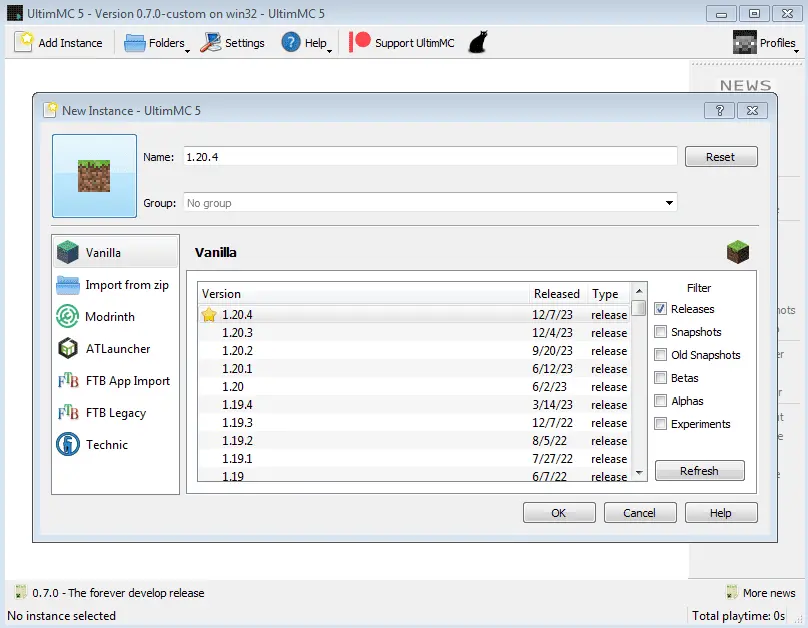
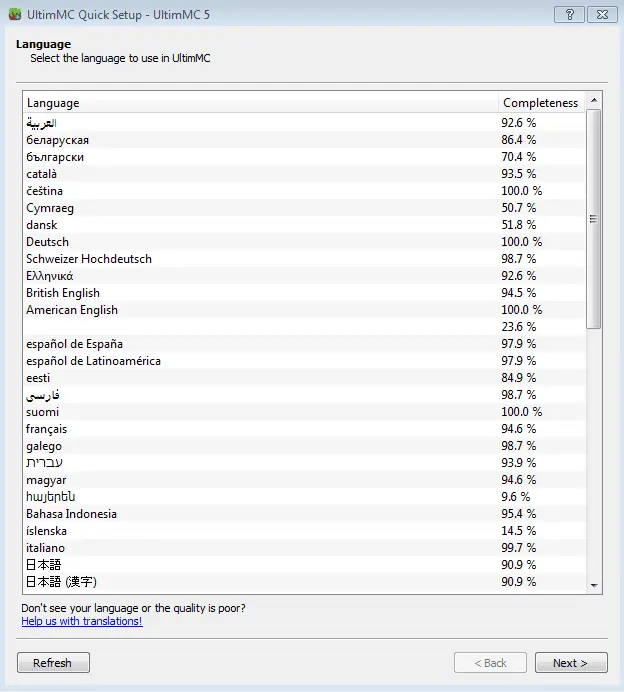
Screenshots


Install UltimMC Launcher
Windows
Linux
macOS
System Requirements for UltimMC Launcher
Windows
Windows 7 or later (64-bit recommended)
2 GB of RAM (4 GB or more recommended)
Minimum 1.5 GHz processor (dual-core or better recommended)
At least 300 MB of free disk space
Linux
64-bit Linux distribution (Ubuntu, Fedora, Debian, etc.)
2 GB of RAM (4 GB or more recommended)
1.5 GHz processor (dual-core or better recommended)
At least 300 MB of free disk space
Required libraries: GLIBC 2.27 or higher, OpenGL support
macOS
macOS 10.12 (Sierra) or later
2 GB of RAM
Minimum 1.5 GHz Intel or Apple Silicon processor
UltimMC Launcher Versions
UltimMC Launcher 1.21.9
This version is a major update for this launcher. In this version, the interface is now simpler, so it is easier to use. Modpacks are easier to manage, letting players install and control different modpacks, including ones from CurseForge and FTB. This version also works better with the newest Minecraft updates, giving a smoother gaming experience. Plus, it still supports offline play, so even players without a premium account can enjoy Minecraft.
1.21.9 Features
Easier-to-use interface for smoother navigation.
Better modpack management, supporting CurseForge and FTB packs.
Works well with the newest Minecraft versions.
Offline play still supported, so non-premium users can play too
UltimMC Launcher 1.20.1
It is more stable and faster. It fixes many problems from the previous version, so the game runs more smoothly. It uses less memory, which helps reduce lag. You can also change Java settings to improve game performance. The launcher is easier to use now, and it still supports offline play and modpacks.
1.20.1 Features
Fixed bugs to make the launcher more stable and faster.
Improved memory use to reduce lag and crashes.
Better options for custom Java settings to control game performance.
Easier-to-use interface for a smoother experience.
Source Code
This launcher is made from code that you find on our website. The source code is mainly for collaboration, so developers and the community can contribute, suggest improvements, or learn from it. The version of the launcher you download from our website is slightly different from the source code. These differences include our branding and logos, the API keys needed for the launcher to work properly, and some adjustments made to package the software for easy installation and use. These changes ensure that the launcher runs smoothly, is easy to set up, and includes all the features we provide.
Conclusion
It is a free and simple Minecraft launcher that lets you run and manage different versions of the game, mods, and accounts. It works on Windows, Linux, and macOS, and you can play both online and offline. You can make separate game setups with their own mods, saves, and settings. It is easy to install modpacks, manage worlds and resource packs, and change game performance with custom Java settings. It makes playing Minecraft smooth and flexible with its simple design, lightweight, and support for old and new Minecraft versions. The source code on our website also lets the community help improve it.
FAQs
Sharing is Caring! Please Share
UltimMC Launcher
It is a free and open-source Minecraft launcher that manages multiple Minecraft versions, mods, and accounts.